How to install NS-2 without tears ?
March, 07 2011. 3 minutes read.
If you really desperate how to installing some network Simulator called NS-2 this could be fix your broken heart:
Make sure your sistem operating is good damn Linux Operating System, in my case i use BlankOn Operating System version 6.1 Ombilin(Cool Indonesian Linux Operating System). You can download it from : http://kambing.ui.ac.id/iso/blankon/rilis/6.1/
Ok lets got to rock:
1. Get the “key”:
#apt-key adv –keyserver keyserver.ubuntu.com –recv-keys B3F3334F
2. Edit your source list :
#gedit /etc/apt/sources.list
3. add this line :
deb http://ppa.launchpad.net/wouterh/ppa/ubuntu karmic main
deb-src http://ppa.launchpad.net/wouterh/ppa/ubuntu karmic main
4. Update your source list with :
#apt-get update
5. Install NS-2 without tears:
#apt-get install ns nam xgraph
Yes. It’s Done. You don’t need set PATH or else. Just check it with command :
$ns
Then the command character change with : %. To Exit just type “exit” (without “”). Or just do an example with download this (please change the extension from simple.tcl.odt with simple.tcl) then run with command :
%ns simple.tcl
You will see this result :
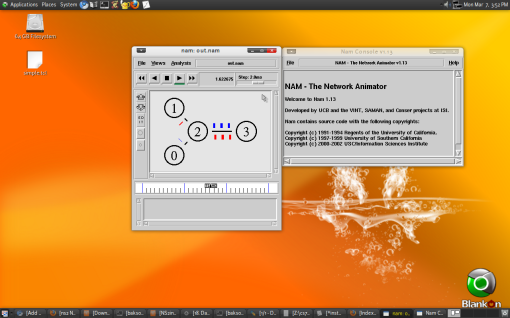
Hope it’s work.
Originally published at: https://xunilresu.wordpress.com/2011/03/07/how-to-install-ns-2-without-tears/